
InfoAssist AI Search
Enhancing the Workflow of Front-line Technical Support


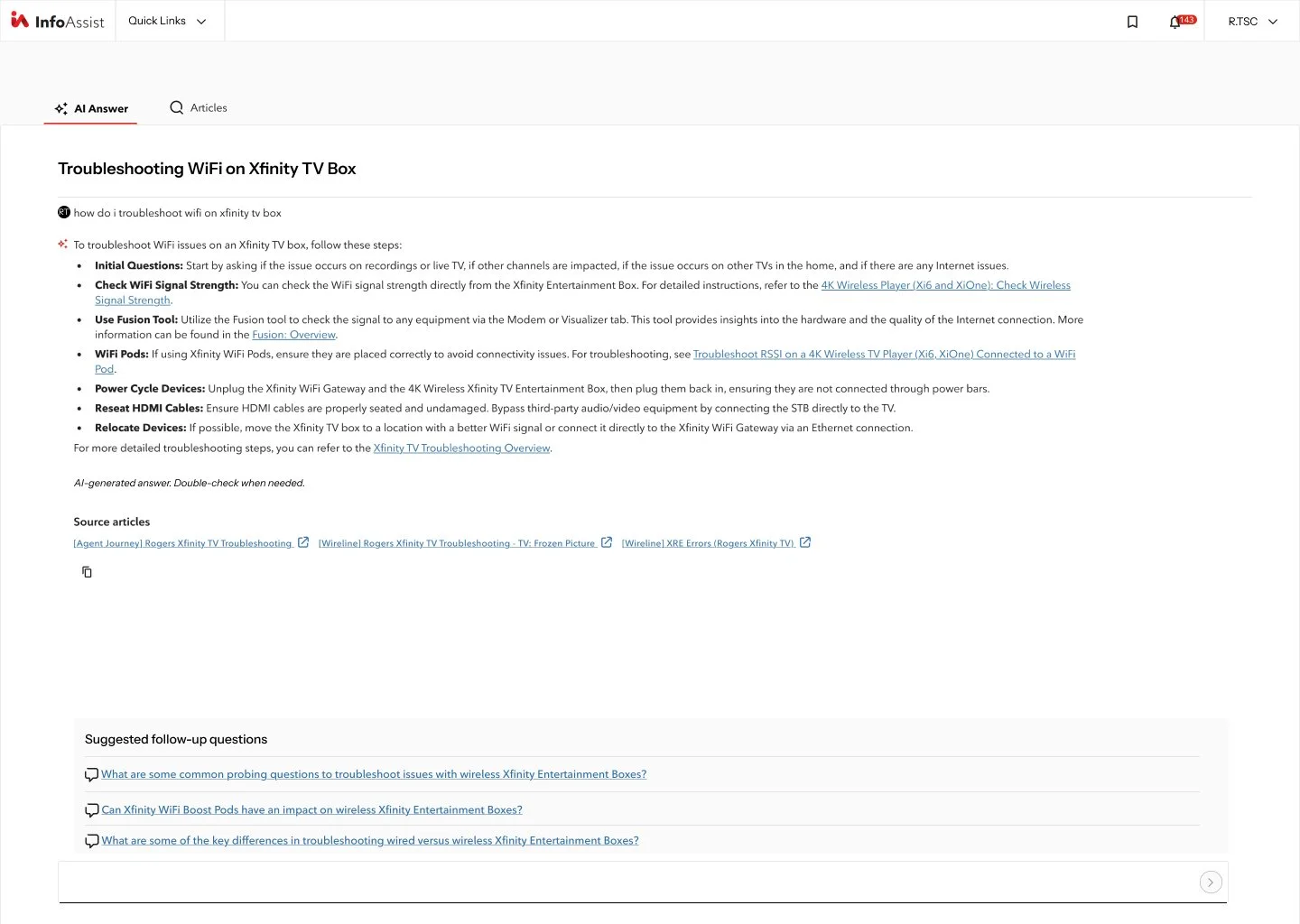
The FLOW tool is a set of instructions designed to guide frontline agents at Rogers Communications when assisting customers with technical issues with the purpose of getting the resolution to their problem resolved at the first interaction. Using the FLOW tool begins with agents identifying the correct troubleshooting stream to follow after uncovering the needs of the customer experiencing issues.
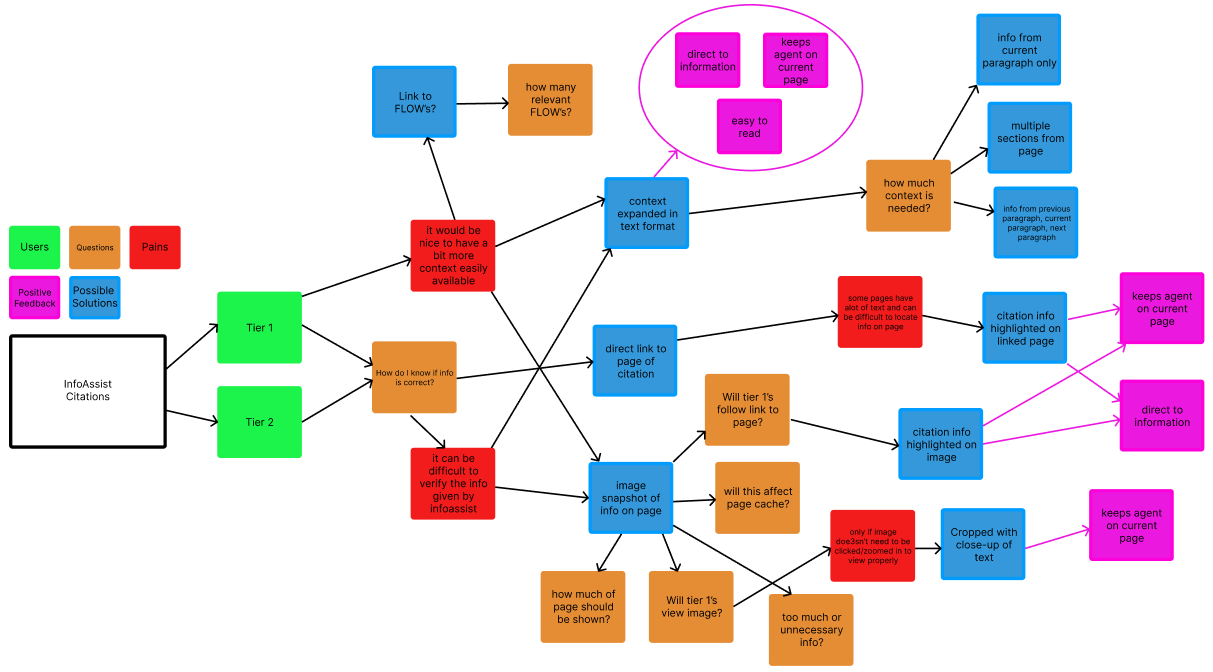
User research determined that our teams’ biggest issue is determining the source of information being cited by AI. Using citations allows for an easy way to locate source material within the company intranet. Using Figma, a map is created to highlight user experiences and needs.
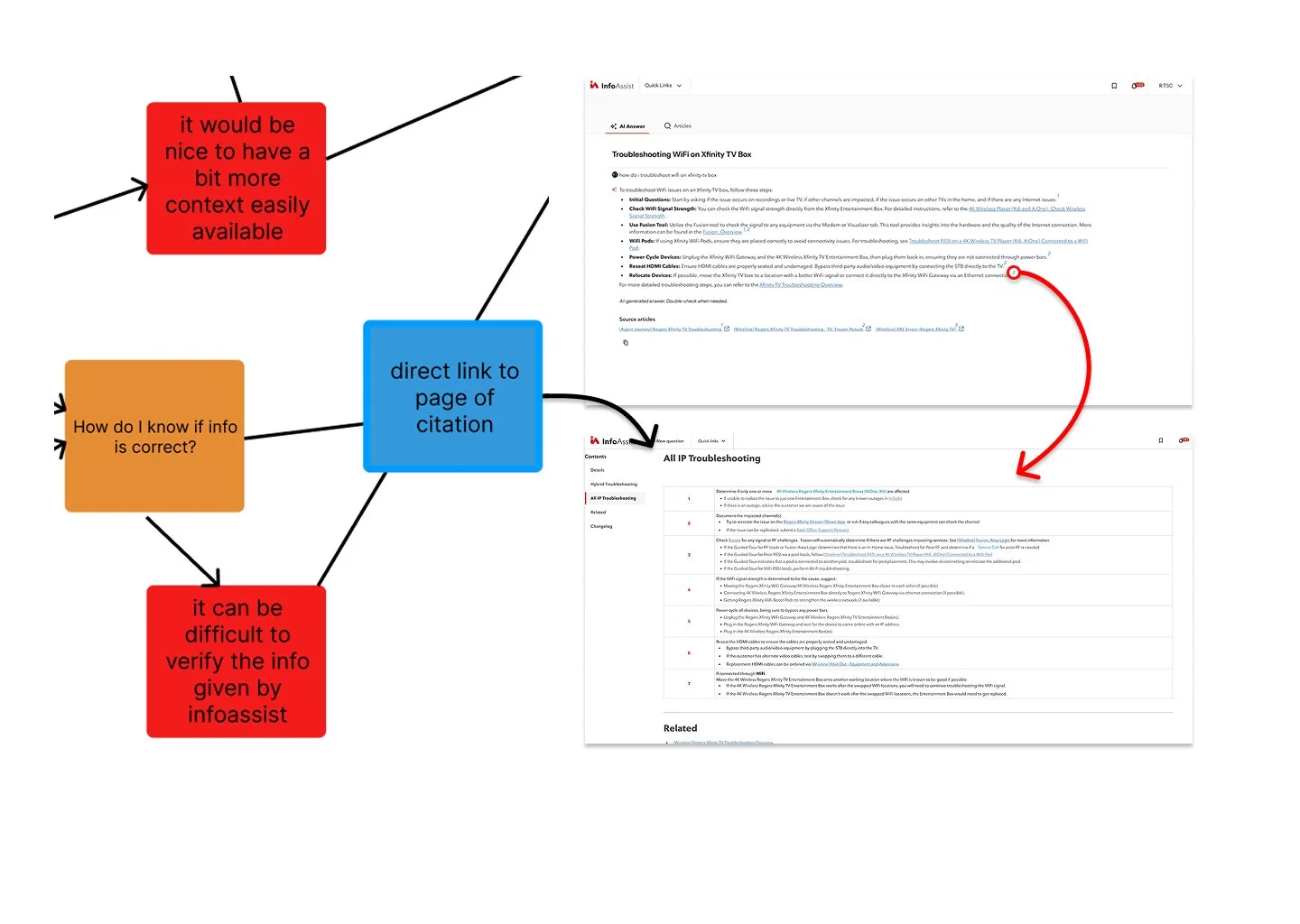
Citations commonly are a direct link to information on pages using numbers to highlight the location of each material’s source. Page mockups are created using Figma to get feedback on potential solutions.
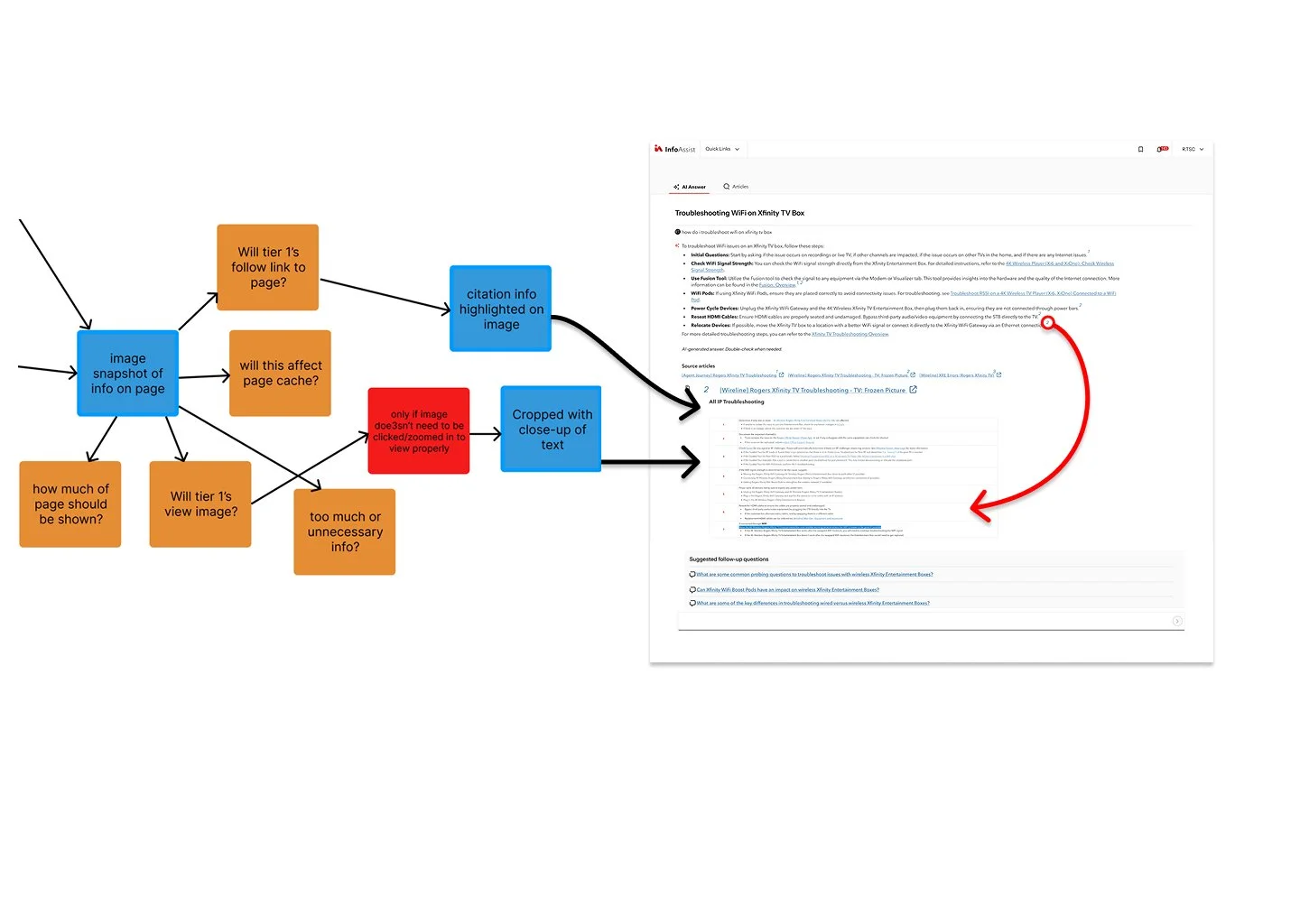
Ai is meant to streamline the workflow and having users navigate to another page adds more time to the resolution process. By adding a snapshot image of the source page, agents will be able to find all the necessary info by staying on the InfoAssist main page.
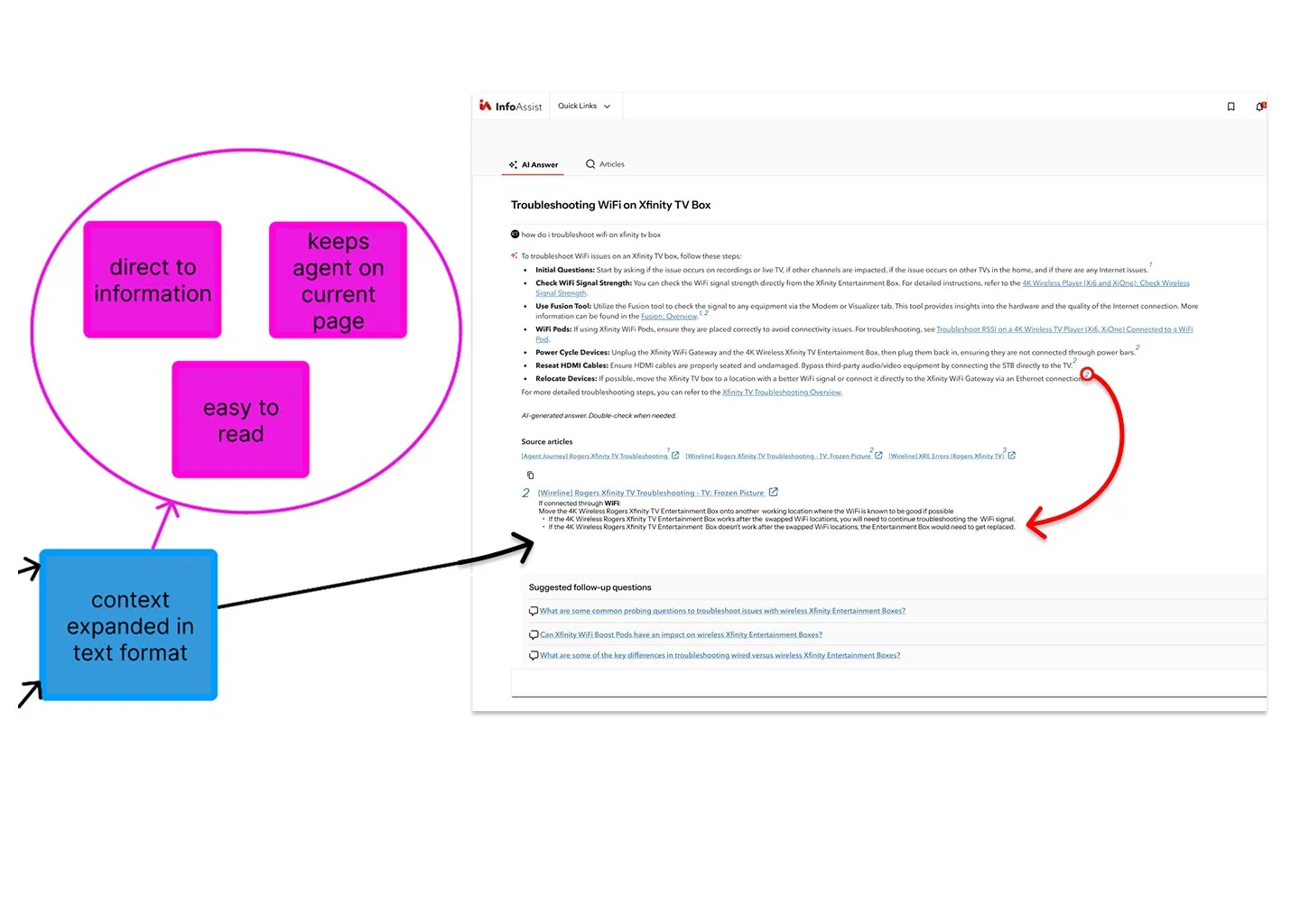
A need for context was stressed during interactions with our front-line groups. The simplest solution uses additional context in text format, providing the necessary information to continue troubleshooting to appear as the only further details with the option to visit the page if necessary.
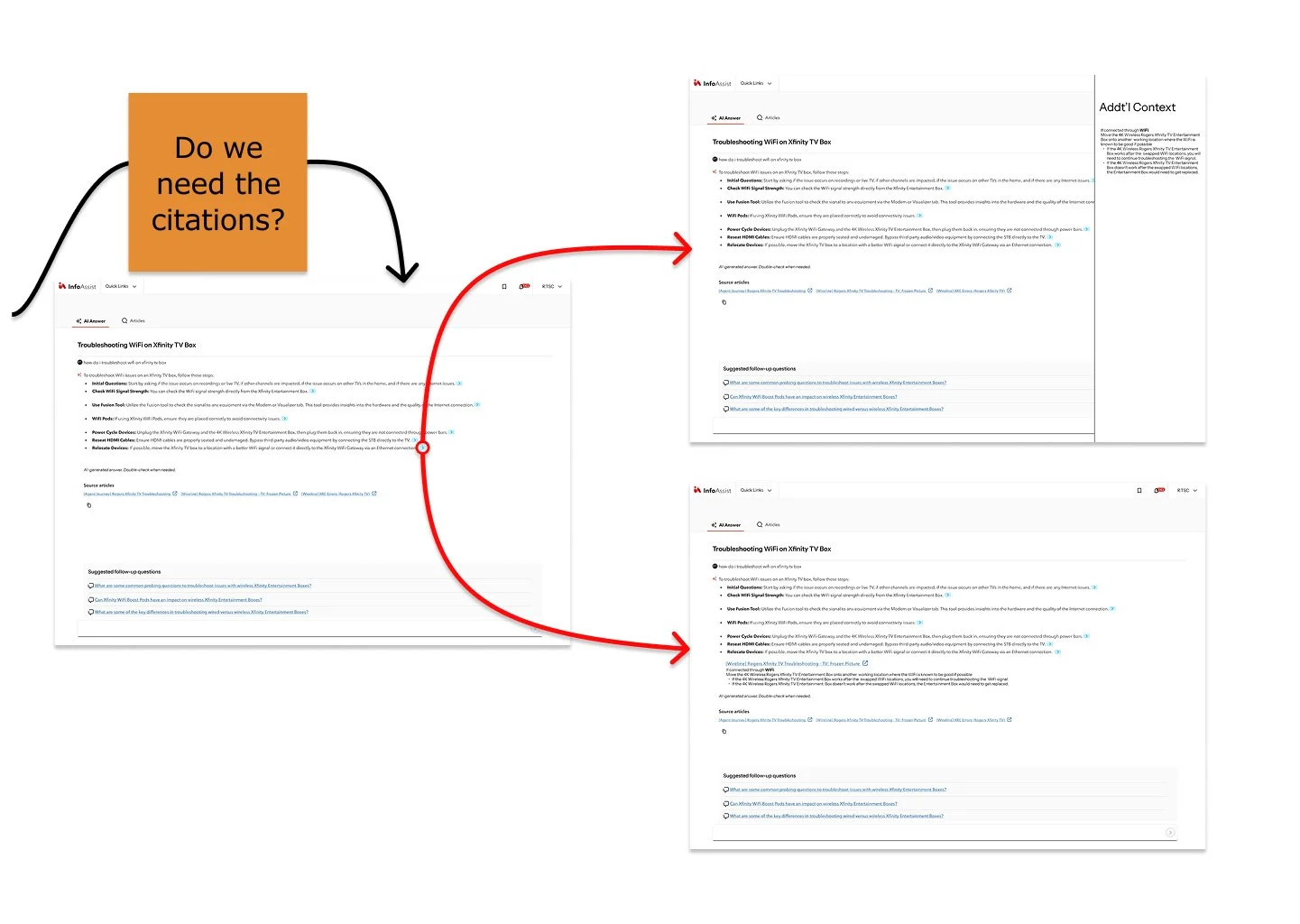
Citations can lead to many different links since a variety of pages host similar information. By removing the citations and instead focusing on additional context, our agents can be provided with a cleaner and straightforward troubleshooting path when they are unsure of the next steps. With further iteration and feedback to continue, a more elegant solution is just around the corner.