
Fusion + FLOW Integration
Simplifying Support by Unifying Tools
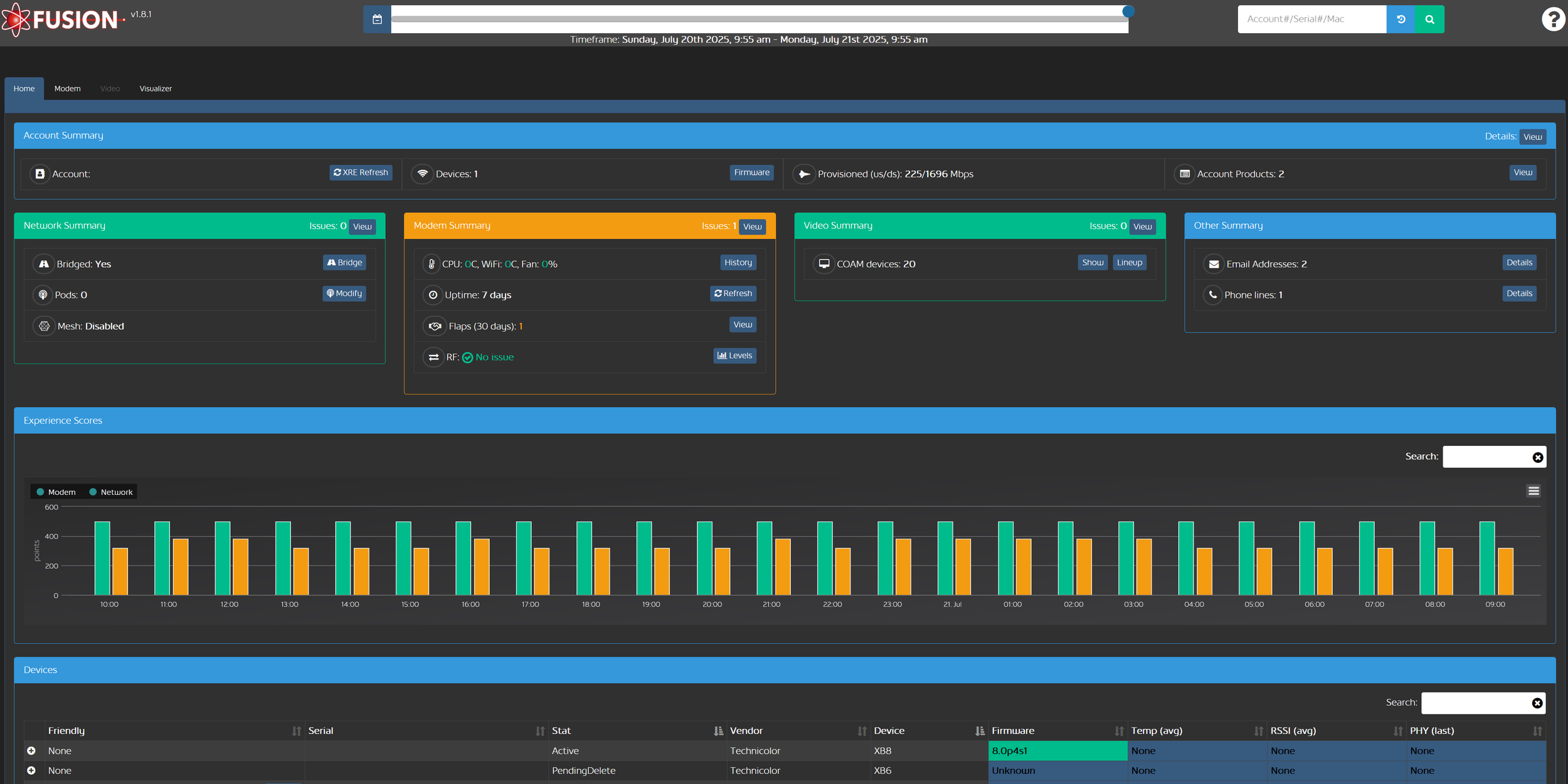
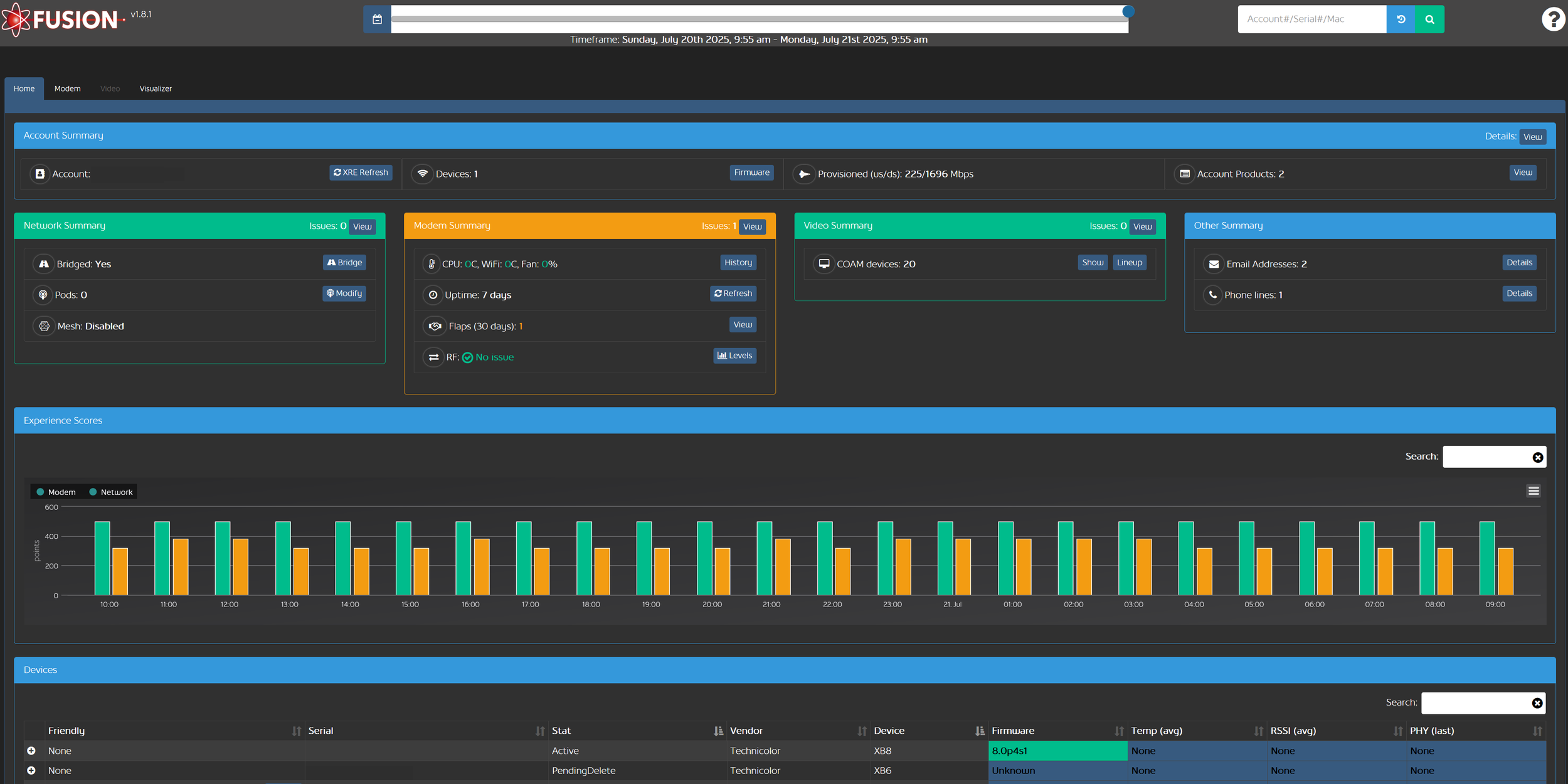
At Rogers Communications, the Fusion tool provides front-line agents with a single place to source technical statistics of a customer’s devices to assist with their service issues.
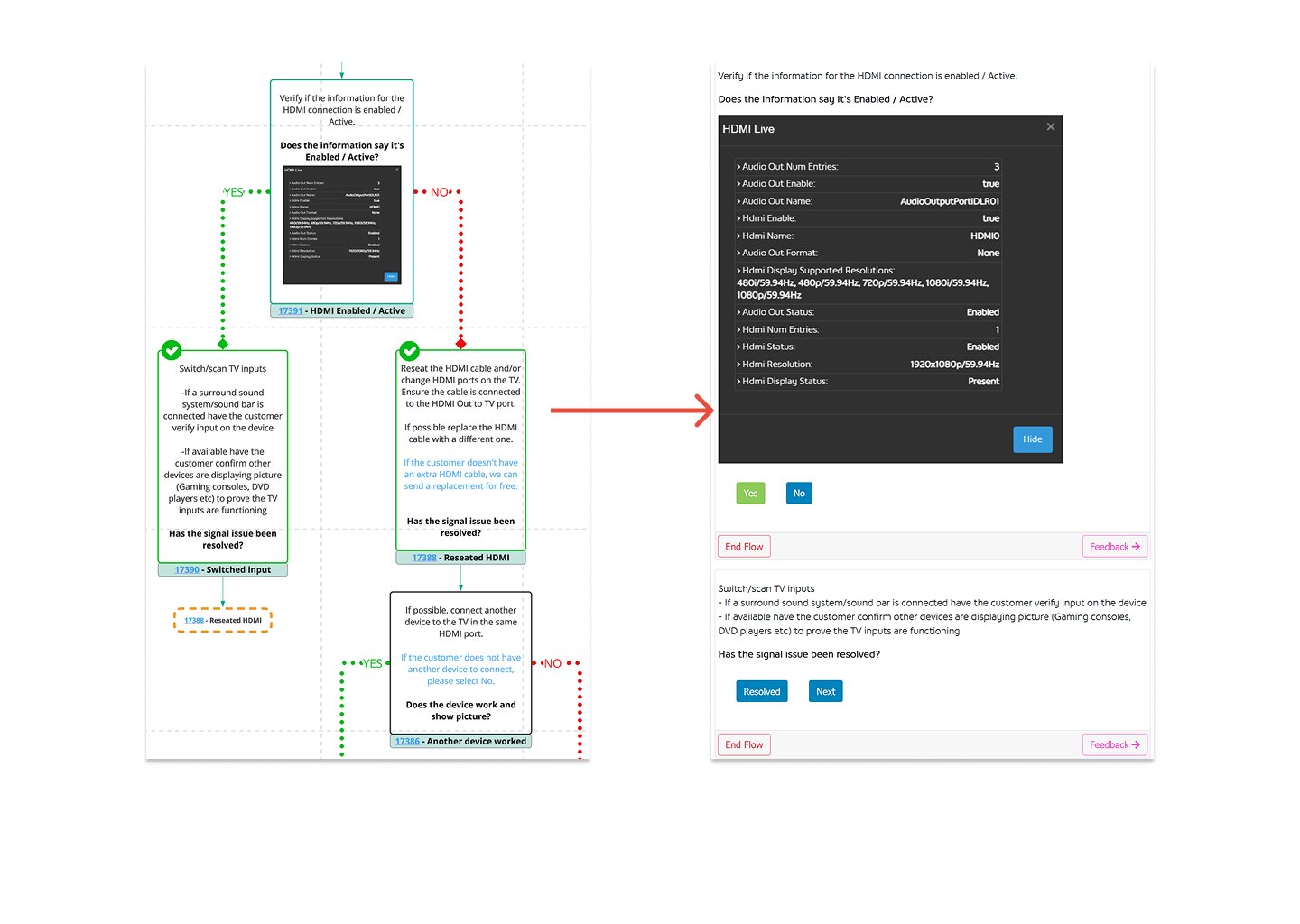
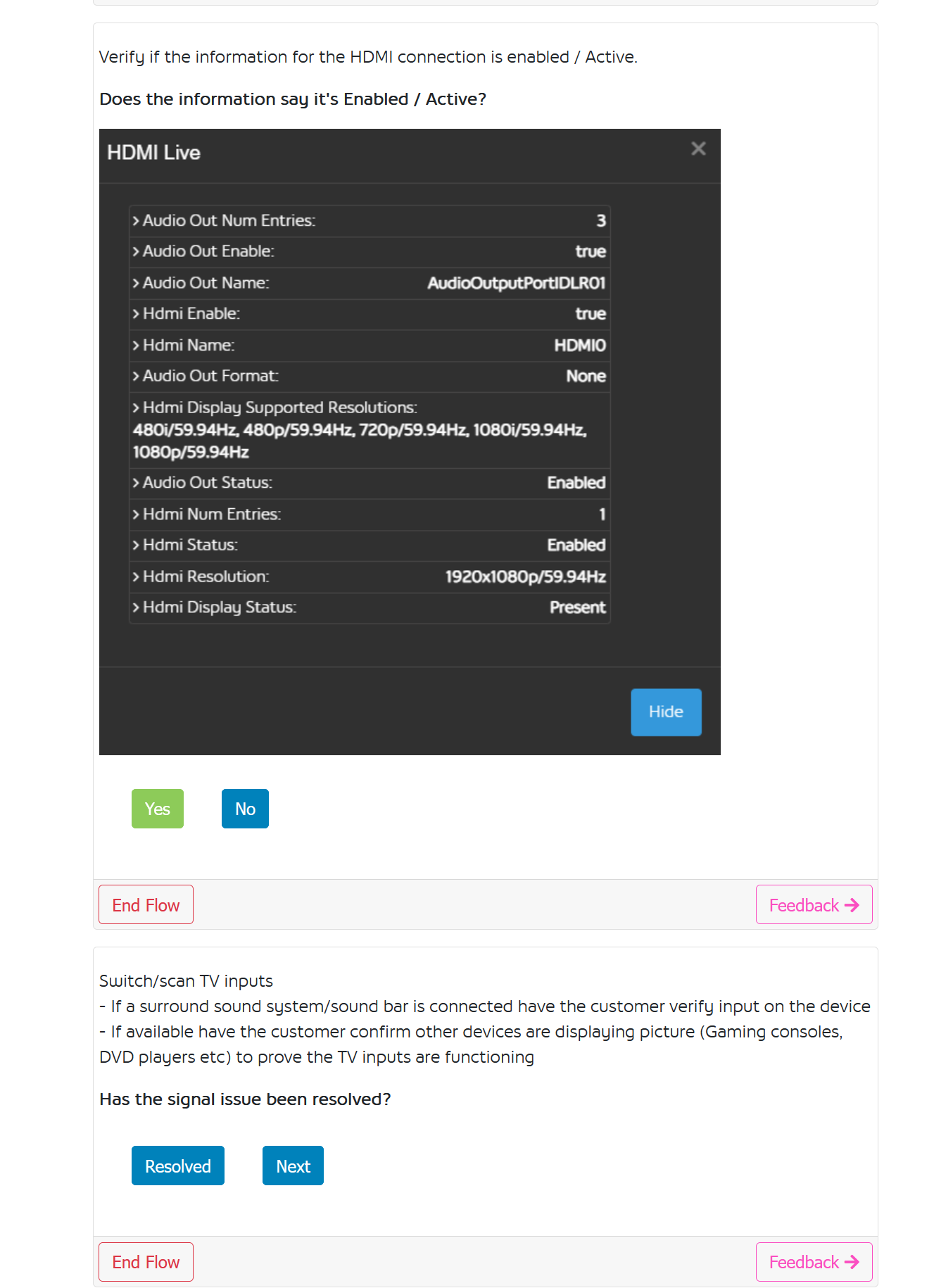
The FLOW tool created by my team makes resolution paths simple by giving step-by-step instructions to follow. Wireframes are first created in Miro before implementing them into the FLOW webpage to use.
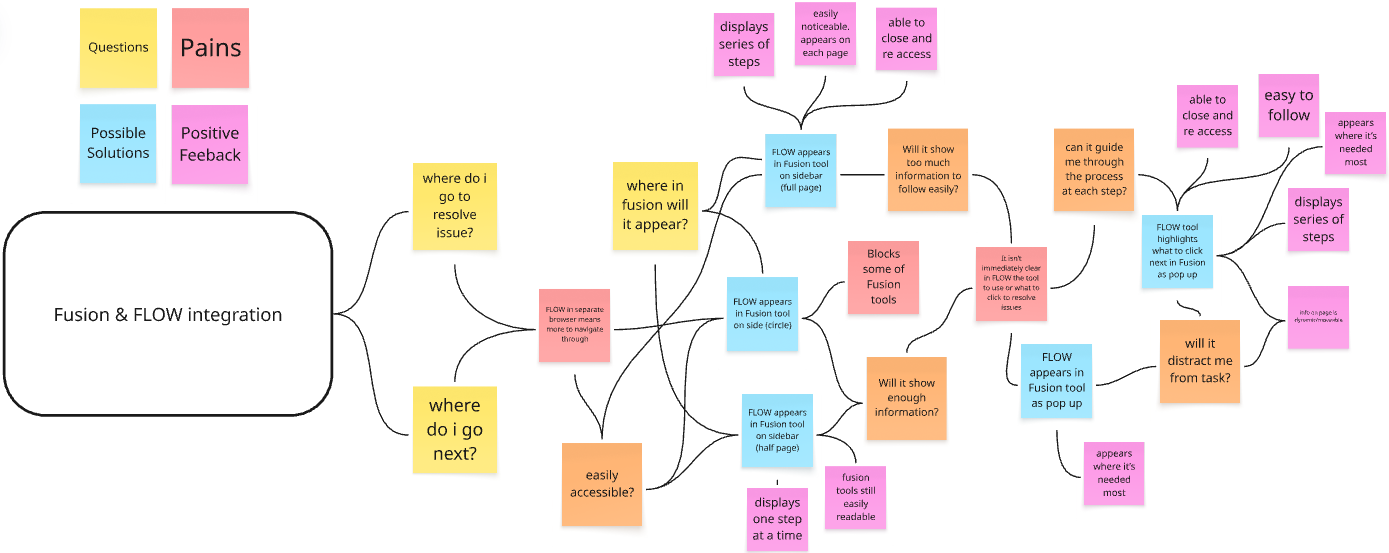
Using Miro, a map is created to highlight user experiences and needs. User research determined that our teams concerns when working with these tools together. Having FLOW integrated within Fusion allows for a seamless experience within a single tool.
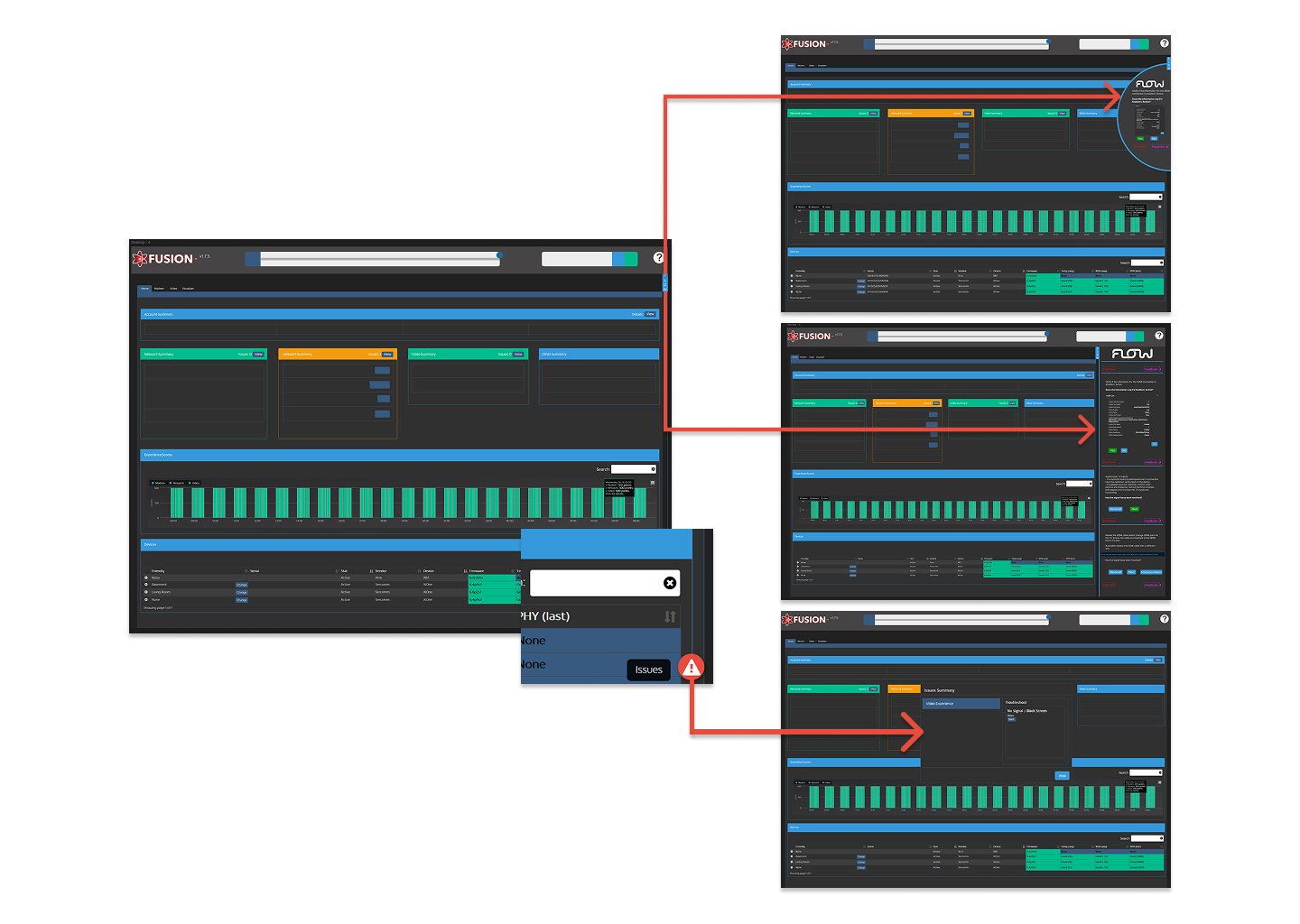
Our goal at Rogers is to make the experience of our workers as easy as possible. By integrating the FLOW tool into Fusion, we can continue to have our agents find all their necessary info in one place instead of navigating multiple webpages. Mockups are created in Figma of possible solutions to be tested with select agents for feedback on ease of use.
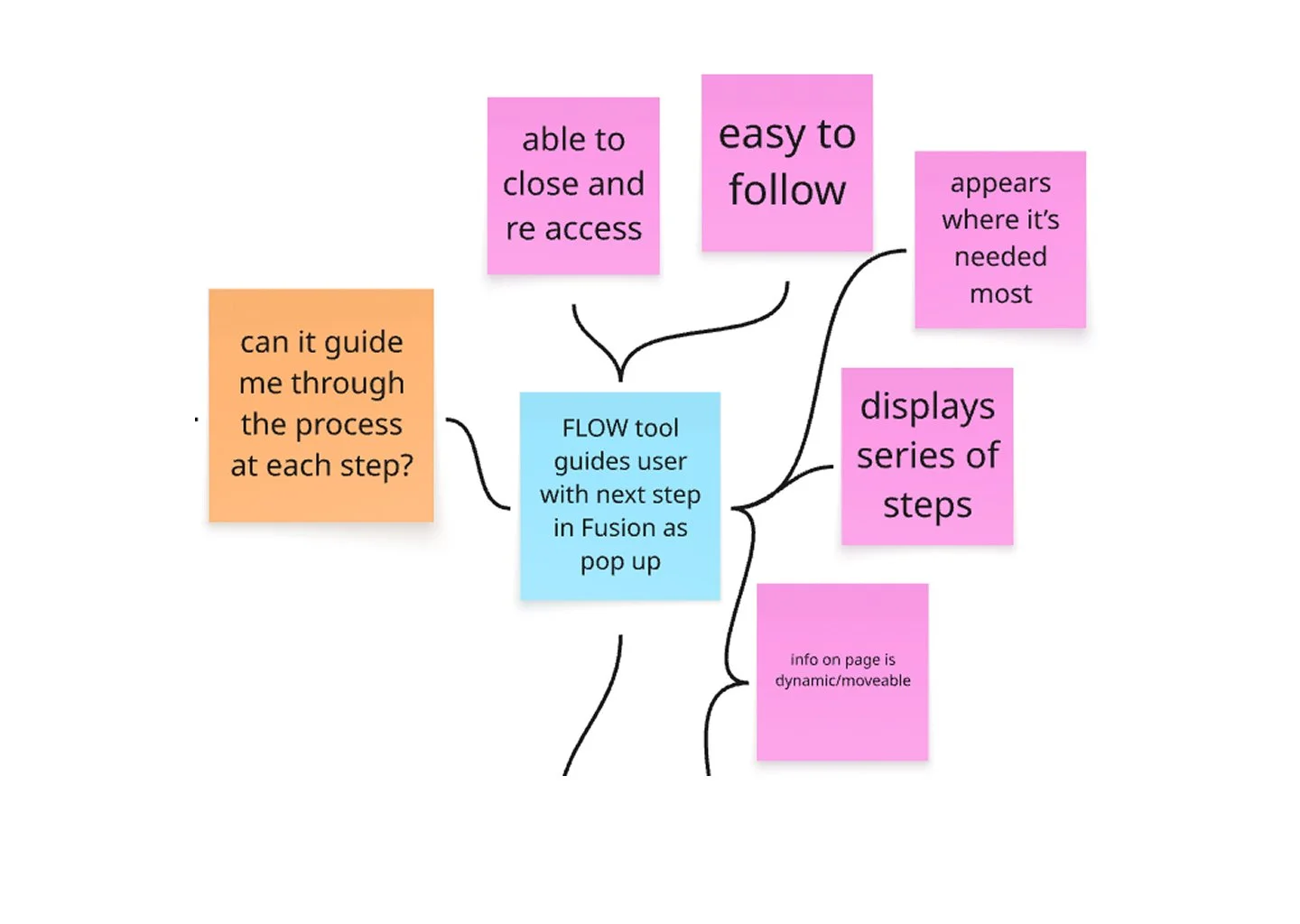
Feedback from our front-line agents directed us towards the necessity of further guidance along with text when using the tool. Having the FLOW be allowed to move around the page will make it more dynamic when resolving issues.
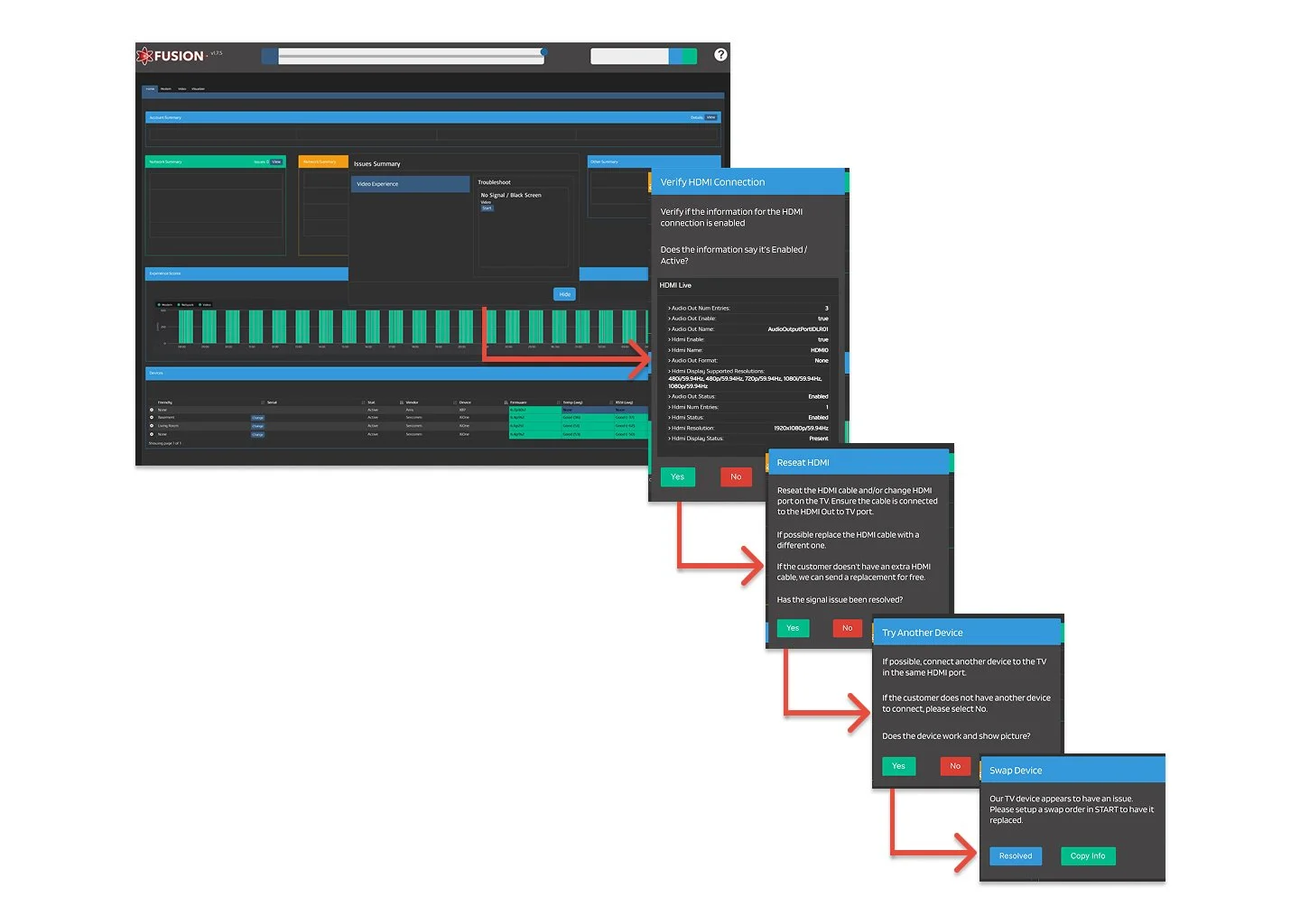
A heads-up style display which floats within Fusion directs agents to proper tools and buttons to use whenever necessary. Our Fusion tool is constantly evolving and our next step will be designing an AI integrated solution to add to this process and make resolving technical issues even easier.